5 Facts About How Heavy a 65 Inch TV Is
A typical 65-inch TV weighs between 40 and 70 pounds, with most modern models leaning toward the lighter side. When thinking about how heavy a 65 inch TV is, keep in mind that your TV’s design, screen type like OLED or QLED, and sturdy stands can influence its weight.
For example, popular models like the Samsung QN90B weigh just 38 pounds, while others might be closer to 50 pounds. It’s always a good idea to have help when lifting your TV and make sure your wall mount can hold the weight.
You’ll find plenty more useful tips and details ahead.
Key Takeaways
- A typical 65-inch TV weighs between 40 and 70 pounds. Most modern models are closer to 40-50 pounds, so they’re not too heavy to handle.
- OLED 65-inch TVs tend to be lighter than LED or QLED models. That’s mainly because OLED screens are thinner and sleeker.
- The TV’s design also plays a big role in its weight. Things like bezel thickness and the type of stand can add to the overall heaviness.
- For example, popular models like the Samsung QN90B weigh about 38 pounds. Meanwhile, the LG OLED65C1PUA comes in around 48 pounds.
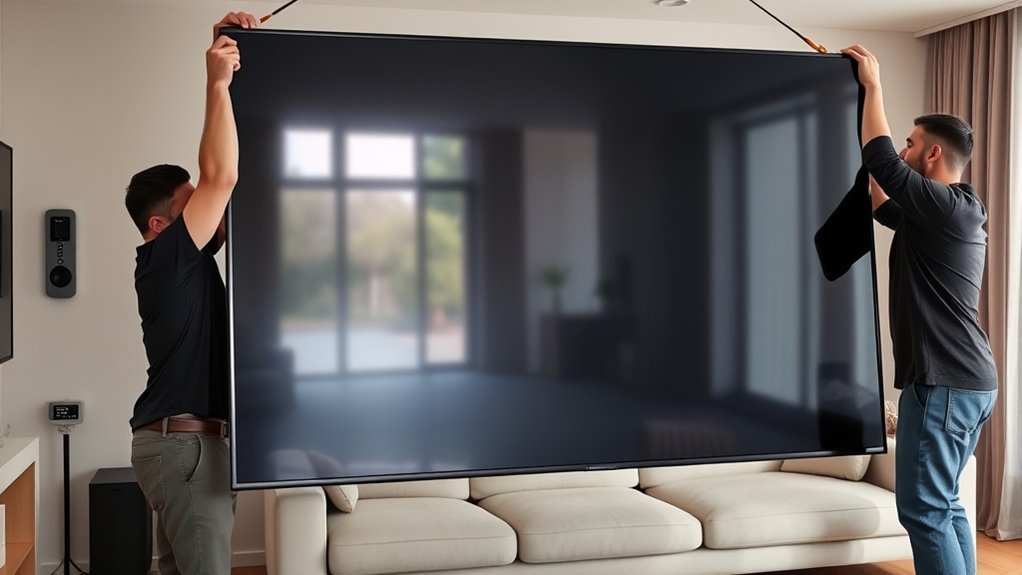
- When moving or installing a 65-inch TV, it’s best to have two people help out. Even though the weight is manageable, the size can make it awkward to lift safely.
How Much Does a Typical 65-Inch TV Weigh?
Although the weight of a 65-inch TV can vary depending on the model and technology, you can generally expect it to weigh between 40 and 70 pounds. When you pick up a TV in this size range, it’s usually manageable to carry alone but might be easier with help, especially if you’re moving it long distances.
Most modern 65-inch TVs fall closer to the lower end of that range due to advancements in materials and design. However, if your TV includes a sturdy stand or extra features, the weight might edge toward the higher side.
Knowing this range helps you prepare for installation or wall mounting. So, when shopping or setting up your 65-inch TV, you’ll have a clear idea of what weight to expect.
Key Factors That Affect a 65-Inch TV’s Weight
Understanding the typical weight range of a 65-inch TV is helpful, but several factors can influence the exact weight you’ll encounter. First, the TV’s design plays a big role—ultra-thin models use lightweight materials, making them easier to handle.
Knowing the typical weight of a 65-inch TV helps, but design variations can significantly affect it.
Conversely, models with thicker bezels or added features like built-in speakers may weigh more. The type of screen technology also matters; OLED panels tend to be lighter than traditional LED or QLED screens.
Additionally, the TV’s stand or base can add extra pounds, especially if it’s a heavy, sturdy design. Finally, any included accessories or mounting hardware might affect the total shipping weight.
Knowing these factors helps you anticipate how heavy your 65-inch TV might be and plan accordingly for setup or mounting.
How Popular 65-Inch TVs Stack Up by Weight
When you compare popular 65-inch TVs, you’ll notice their weights vary considerably based on brand and model. Some lean towards lightweight designs, while others pack in more features, making them heavier.
Here’s a quick look at how some well-known models stack up:
- Samsung QN90B: around 38 pounds
- LG OLED65C1PUA: about 48 pounds
- Sony X90J: roughly 49 pounds
- TCL 6-Series R646: near 43 pounds
- Vizio M-Series M65Q7-H1: approximately 40 pounds
Knowing these weights helps you anticipate setup needs and ensures your stand or wall mount can handle the load. Each model balances design, features, and weight differently, so consider both specs and your space before deciding.
Handling the Weight: Moving and Mounting Your 65-Inch TV Safely
Since 65-inch TVs can weigh between 38 and 49 pounds, you’ll want to plan carefully before moving or mounting one. Always have at least two people lift the TV to avoid strain or accidents.
Use proper lifting techniques—bend your knees and keep your back straight. When moving the TV, carry it upright to protect the screen.
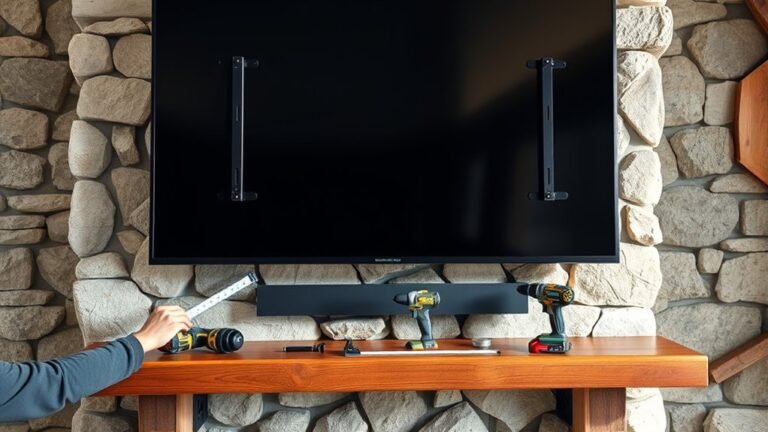
For mounting, make certain your wall mount supports the TV’s weight and size. Locate studs in the wall and use appropriate anchors and screws.
Don’t rush the installation; double-check everything for stability. If you’re unsure, consider hiring a professional to avoid damaging the TV or your wall.
Taking these precautions will keep you and your TV safe throughout the process. It’s definitely worth the extra care!
How Design and Materials Affect 65-Inch TV Weight
Although the size of a 65-inch TV sets a general expectation for its weight, the design choices and materials manufacturers use play a big role in determining the actual heaviness. When you pick a 65-inch TV, keep in mind these factors that influence weight:
- Frame Material: Aluminum frames are lighter than steel or plastic.
- Screen Type: OLED panels often weigh less than LCDs with backlights.
- Stand Design: Minimalist stands add less weight compared to bulky bases.
- Internal Components: Additional speakers or cooling systems increase mass.
- Glass Thickness: Thicker protective glass boosts the overall heft.
Understanding these elements helps you choose a TV that fits your mounting and handling needs without surprises. It’s all about getting the right balance so you’re not caught off guard when setting it up.
Frequently Asked Questions
What Is the Average Price Range for a 65-Inch TV?
You’ll find 65-inch TVs usually priced between $500 and $2,500, depending on brand, features, and display technology.
Don’t forget to check for sales or discounts to get the best deal within your budget.
Sometimes, waiting for a sale can save you a nice chunk of change! Just keep an eye out and be ready to jump on a good offer.
Which Brands Offer the Best 65-Inch TVS?
You’ll be thrilled to know Samsung, LG, Sony, and TCL offer the best 65-inch TVs. They pack stunning visuals and smart features—because why settle for a glorified window when you can have a cinematic masterpiece?
Seriously, these brands know how to bring your favorite shows and movies to life. It’s like having a mini movie theater right in your living room!
How Does Screen Resolution Impact Viewing Experience?
Screen resolution directly impacts your viewing experience by delivering sharper, clearer images. Higher resolution means more detail, better color accuracy, and less pixelation.
What Are the Energy Consumption Rates of 65-Inch TVS?
You’ll find 65-inch TVs typically use between 90 to 150 watts while on. Energy consumption varies by model and settings, so you should check the specific TV’s energy label to get an accurate idea for your usage.
It really depends on what features you’re using and how bright the screen is set. So, don’t just go by the size alone—those details matter too!
Do 65-Inch TVS Come With Built-In Smart Features?
Like having a whole world at your fingertips, yes, 65-inch TVs usually come with built-in smart features. You can stream, browse, and connect easily without extra devices, making your viewing experience seamless and fun.
It’s pretty convenient, right? No need to mess around with extra gadgets—just turn on your TV and dive straight into your favorite shows and apps.
Conclusion
When you think about it, a 65-inch TV typically weighs between 50 to 70 pounds—about the same as a medium-sized dog! Knowing this helps you prepare for moving or mounting it safely.
Remember, the weight can vary a lot depending on the brand and design, so always check before you lift.
With the right prep, you’ll enjoy your big screen without any heavy lifting headaches! Understanding how heavy a 65 inch TV is makes all the difference when setting up your entertainment space. Just take your time, plan ahead, and you’ll handle that hefty TV like a pro.