How to Hang a TV on Metal Studs in 7 Easy Steps
To hang a TV on metal studs, start by locating the studs using a metal stud finder. Mark their centers clearly so you know exactly where to drill. This step is crucial because metal studs require different anchors than wood studs.
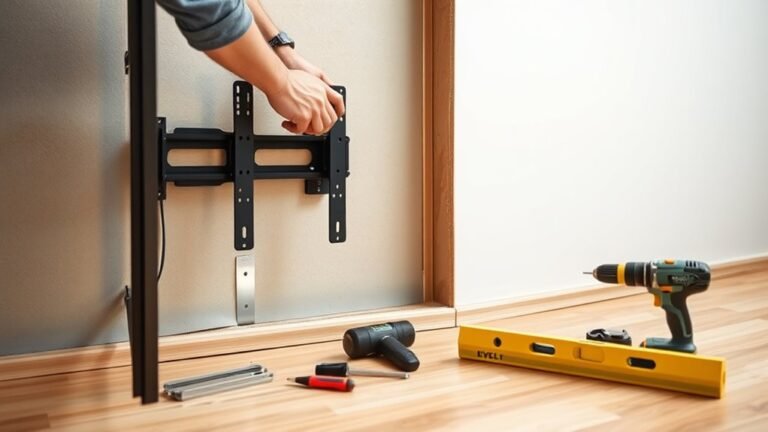
Next, gather your tools. You’ll need a drill, metal bits, and toggle bolts or metal anchors that can support your TV’s weight. Make sure the mount you choose is compatible with both your TV and the metal studs.
Once you have everything, mark the precise mounting points on the wall. These points should align perfectly with the studs you found earlier. Then, drill pilot holes that are slightly smaller than your anchors to ensure a tight fit.
After that, secure the bracket using the toggle bolts. Tighten them carefully, but don’t overdo it.
Finally, hang the TV on the bracket and give it a gentle shake to test its stability.
Following these basics will set you up for a safe and solid installation that keeps your TV secure on metal studs.
Key Takeaways
- Use a metal-stud-compatible stud finder to locate and mark the center of metal studs accurately.
- Drill pilot holes slightly smaller than toggle bolts or metal anchors at marked stud points.
- Install toggle bolts or metal stud anchors through the TV mount holes into the pilot holes for secure fastening.
- Tighten bolts evenly without overtightening, ensuring the mount sits flush and stable against the wall.
- Hang the TV carefully, confirm it locks in place, then check stability and levelness before final use.
Understand Metal Studs and Mounting Challenges

Although metal studs are common in modern construction due to their strength and resistance to fire and pests, they pose unique challenges when mounting a TV. Unlike wood studs, metal studs are thinner and hollow, making it harder to secure heavy items.
You can’t just use standard wood screws; the metal requires special fasteners designed for thin steel. Also, metal studs can bend or deform if you apply too much pressure, so you need to be precise with your drilling and mounting.
Because they’re hollow inside, you can’t rely on just pushing screws in—you’ll need toggle bolts or anchors that expand behind the stud for a solid hold. Understanding these differences helps you prepare for a secure, safe TV installation on metal studs.
Locate Metal Studs Using a Stud Finder
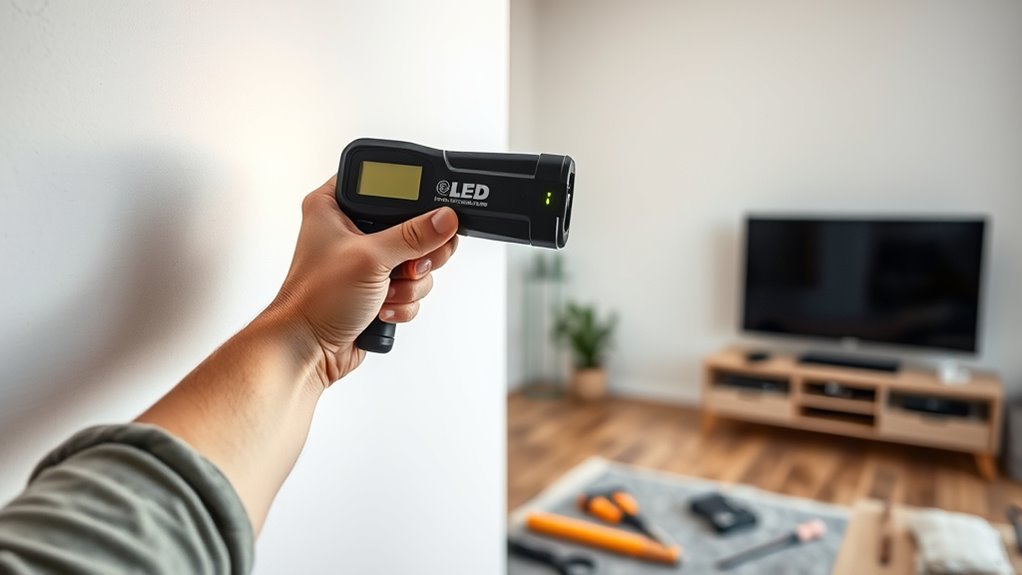
To hang your TV securely, you’ll need to locate the metal studs accurately using a stud finder designed for metal detection. Take your time scanning the wall to guarantee you pinpoint the exact stud locations.
Once you find them, mark each spot clearly for easy reference during installation. This way, you’ll make sure your TV is mounted safely and won’t come loose later.
Choosing The Right Stud Finder
How can you be certain you’re picking the right stud finder for metal studs? Not all stud finders detect metal studs accurately, so you need one designed specifically for that purpose.
Choose a model that clearly indicates metal presence rather than just wood. Look for stud finders with multi-mode detection; they switch between wood and metal scanning easily.
Also, consider devices with digital displays—they provide clearer readings, reducing guesswork.
Here’s what to focus on:
- Metal detection mode: Essential for finding metal studs reliably.
- Depth sensitivity: Ensures detection through drywall thickness.
- User-friendly interface: Makes scanning straightforward and accurate.
Selecting the right stud finder saves time and prevents errors when hanging your TV on metal studs.
Scanning Wall Accurately
Before you start scanning, make sure your stud finder is calibrated correctly according to the manufacturer’s instructions. Hold the device flat against the wall and move it slowly horizontally.
When scanning metal studs, keep an eye on the indicator lights or listen for beeps signaling metal detection. Scan the entire area where you plan to mount the TV, overlapping your passes slightly to avoid missing a stud.
Pause briefly when the stud finder signals to confirm the exact edges and center of the metal stud. Since metal studs are thinner than wood, accuracy is key.
Avoid scanning near electrical outlets or metal objects, which can cause false readings. Taking your time during this step guarantees you’ll find the best support points for your TV mount.
Marking Stud Locations
Once you’ve located the metal studs with your stud finder, you’ll want to mark their exact positions clearly on the wall. This step guarantees you mount your TV bracket securely.
Use a pencil to make small, visible marks at the edges of each stud where the finder indicates. Double-check your marks by scanning again to confirm accuracy. Precise marking helps avoid drilling errors and keeps your TV stable.
Make sure to mark both the left and right edges of each metal stud for better alignment. Also, use a level to draw a light horizontal line connecting the marks for consistent height.
Don’t forget to label each stud mark to track the spacing and confirm stud locations easily. Clear markings set the foundation for a safe, professional TV installation on metal studs.
Gather Essential Tools and Hardware for Metal Studs
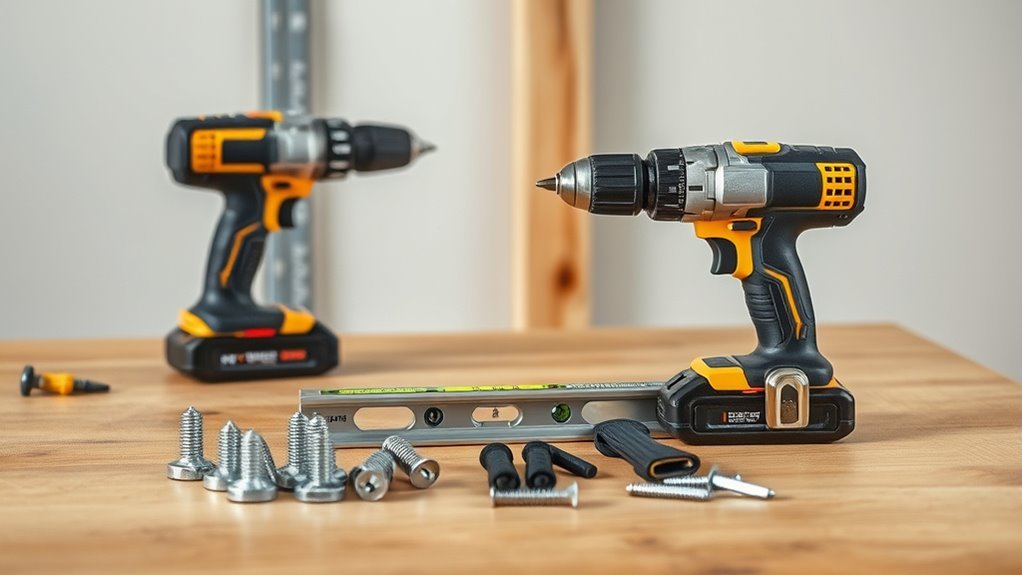
Before you start hanging your TV, make sure you have the right tools and hardware designed for metal studs. You’ll need specific anchors, a drill with metal bits, and safety gear like gloves and goggles.
Getting these essentials ready will make the installation smoother and safer. It’s always better to be prepared than to stop midway looking for something.
Required Tools Overview
Although hanging a TV on metal studs can seem challenging, having the right tools and hardware makes the job much easier and safer. Before you start, gather everything you need to guarantee a smooth installation.
You’ll want to have tools that help you accurately locate studs, drill into metal, and securely mount the bracket.
Here are the essential tools you should have on hand:
- Stud finder designed for metal studs
- Drill with metal drill bits
- Socket wrench or screwdriver for tightening anchors
With these tools ready, you’ll be well-prepared to tackle the unique demands of mounting on metal studs. Next, selecting the appropriate hardware will ensure your TV stays safely mounted.
Hardware Selection Tips
Having the right tools in hand sets you up for success, but choosing the proper hardware is just as important when mounting your TV on metal studs. You’ll want to use metal stud anchors or toggle bolts specifically designed for hollow walls, as regular screws won’t hold securely.
Opt for heavy-duty anchors rated for the weight of your TV and mount. Self-drilling metal stud screws are a smart choice—they bite into the stud without pre-drilling, saving time and effort.
Avoid plastic anchors, which can fail under heavy loads. Also, make sure your mounting bracket’s bolts are compatible with the hardware you select.
Safety Equipment Checklist
When you’re ready to mount your TV on metal studs, gathering the right safety equipment is vital to protect yourself and guarantee a smooth installation. Without proper gear, you risk injury or damaging your tools and wall.
Make sure you have everything before starting to avoid interruptions.
Here’s a quick safety equipment checklist to help you prepare:
- Protective gloves: Shield your hands from sharp metal edges and tools.
- Safety goggles: Protect your eyes from metal shavings and dust.
- Stud finder with metal detection: Locate metal studs accurately without guesswork.
Having these essentials on hand keeps you safe and confident as you proceed with hanging your TV on metal studs. Don’t skip this step—it’s essential for a successful and secure installation.
Choose the Right TV Mount for Metal Studs
How do you guarantee your TV mount will securely hold your screen on metal studs? First, pick a mount designed specifically for metal studs or one that comes with heavy-duty toggle bolts or metal stud anchors. These mounts distribute weight evenly and grip the thin metal securely, preventing your TV from pulling out.
Avoid mounts made solely for wood studs, as they won’t provide enough support. Next, consider the mount’s weight capacity—always choose one rated higher than your TV’s weight. Also, check if it fits your TV’s VESA pattern to ensure proper alignment.
Mark Mounting Points on the Wall Accurately
Where exactly should you place the mounting points to guarantee a secure fit? Start by locating the metal studs behind your wall using a stud finder, then mark their center lines lightly with a pencil.
Next, measure the height at which you want your TV to hang, making sure it’s comfortable for viewing. Align these height marks with the studs to position your mounting bracket.
When marking the mounting points, keep these in mind: confirm marks align with the stud centers for maximum support. Use a level to keep marks perfectly horizontal.
And don’t forget to double-check measurements before finalizing marks to avoid mistakes. Accurate marking is vital—you want your TV to hang safely and straight on those metal studs.
Drill Pilot Holes and Secure the Mounting Bracket With Toggle Bolts or Anchors
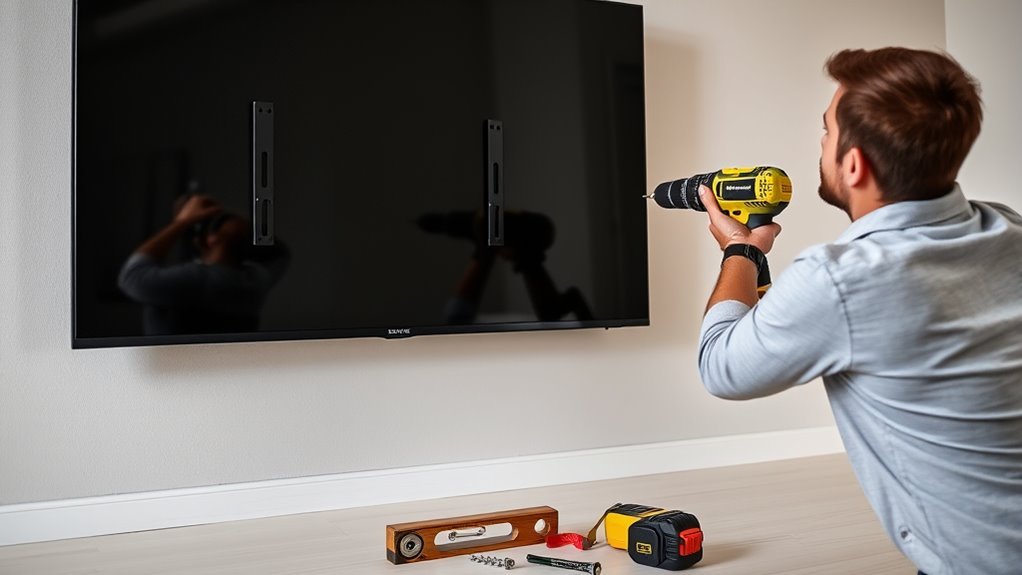
Before you secure the mounting bracket, drill pilot holes into the metal studs at your marked points to make certain precise placement. Use a drill bit slightly smaller than the toggle bolt or anchor diameter to guarantee a snug fit.
Once the holes are ready, insert the toggle bolts or anchors through the bracket holes and into the pilot holes. Toggle bolts are ideal because their wings open inside the stud, providing strong support.
Tighten the bolts steadily, but don’t overtighten to avoid damaging the metal studs. Anchors designed for metal studs can also work well, especially if toggle bolts aren’t available.
Make sure the bracket sits flush against the wall and holds firmly before moving on to hanging the TV. This way, you know everything’s secure and ready to go.
Hang the TV and Check Stability Before Use
Once the mounting bracket is firmly secured to the metal studs, you can carefully lift the TV and hook it onto the bracket. Make certain the TV clicks or locks into place, confirming it’s properly seated.
Don’t rush this step—take your time to avoid any accidents. After hanging the TV, gently test its stability by applying slight pressure from different angles. Check that the mount doesn’t shift or wobble.
To guarantee your TV is safely mounted:
- Verify all screws and bolts are tight and secure.
- Confirm the TV is level and aligned correctly.
- Test the mount’s hold by gently shaking the TV.
Frequently Asked Questions
Can I Hang a TV on Metal Studs Without a Stud Finder?
You can hang a TV on metal studs without a stud finder by measuring from a corner or outlet. Another way is to tap the wall gently and listen for a solid sound.
You can also use a strong magnet to help locate the studs behind the drywall. It’s a simple trick that works pretty well when you don’t have specialized tools.
What Is the Maximum TV Weight Metal Studs Can Support?
You can think of metal studs as strong as a knight’s armor, typically supporting up to 100 pounds safely.
However, with proper anchors and multiple studs, you can hang heavier TVs without worries.
Are Toggle Bolts Reusable After Removing the TV?
Toggle bolts aren’t really reusable once removed because their wings bend and lose tension.
You’ll need new ones each time to guarantee a secure hold, especially when hanging something heavy like a TV on metal studs.
It’s just safer that way, you know? Trying to reuse them might risk your TV coming loose.
How Do I Hide Cables When Mounting on Metal Studs?
Oh, sure, just let those cables dangle like spaghetti—except you don’t want that.
Instead, grab cable raceways and paint them to match your wall. Or better yet, use in-wall rated cable kits for a sleek, hidden setup you’ll actually love.
Can I Mount a Soundbar With the TV on Metal Studs?
Yes, you can mount a soundbar with the TV on metal studs. Just make sure you use appropriate anchors or toggle bolts designed for metal studs to support the weight securely.
Also, double-check the stud locations before drilling. That way, you’ll know you’re mounting everything safely and correctly.
Conclusion
Now that you’ve learned how to hang your TV on metal studs, you’ll see it’s not as tricky as some say. While many believe that mounting on metal studs is unreliable, using the right toggle bolts or anchors proves otherwise.
By following these steps carefully, you’ll create a strong, stable setup that holds your TV securely. So go ahead—enjoy your viewing experience with confidence and peace of mind!
Mounting a TV on metal studs might seem daunting, but with the right tools and techniques, it’s totally doable. Just remember to choose the appropriate anchors, like toggle bolts, to ensure your TV stays put.
In the end, hanging your TV on metal studs isn’t just about saving space—it’s about creating a reliable, safe setup. Follow these steps, and you’ll have a sturdy, secure TV mount that lasts. Happy viewing!