10 Easy Tips to Reduce Glare on Your TV
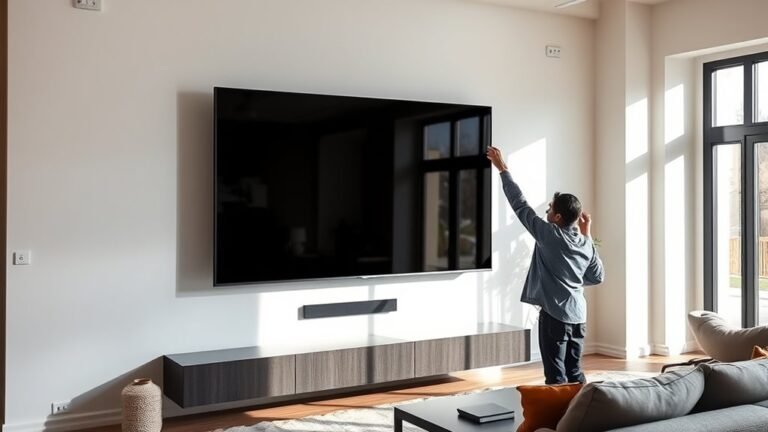
To reduce glare on your TV, start by positioning it away from direct sunlight and bright lamps. Ideally, place your TV on a wall perpendicular to windows to minimize unwanted reflections.
You can also tilt or swivel your screen slightly to avoid catching light from windows or lamps. This small adjustment can make a big difference.
Using blackout curtains or adjusting blinds helps control how much sunlight enters the room. It’s an easy way to reduce glare during the day without changing your whole setup.
Dim harsh lights or swap out bulbs for softer, indirect lighting options. This creates a more comfortable viewing environment and cuts down on annoying reflections.
Rearranging furniture can also limit glare by changing how light bounces around the room.
If glare persists, consider an anti-glare screen protector or switching to a TV with a matte screen.
Lowering your TV’s brightness and contrast settings can reduce eye strain and improve picture comfort.
Keep following for more practical glare-busting tips to enhance your viewing experience!
Key Takeaways
- Position your TV away from direct sunlight and bright lamps to minimize screen reflections. This simple change can make a big difference in your viewing experience.
- Use blackout curtains or adjustable blinds to control natural light entering the room. It helps keep glare at bay, especially during the day.
- Opt for a matte screen or apply a screen protector to reduce glare and improve visibility. These options are easy to find and can really help.
- Adjust TV brightness and contrast settings to lower reflections without sacrificing image quality. Playing around with these settings can make your picture pop.
- Use soft, indirect lighting with dimmable bulbs to create a glare-free viewing environment. This way, you get cozy lighting without any annoying reflections.
Position Your TV Away From Direct Light Sources

Where should you place your TV to cut down on glare? You want to avoid positioning it directly opposite windows or bright lamps.
When sunlight or strong artificial light hits your screen head-on, it creates reflections that make it hard to see. Instead, place your TV so that natural light comes from the side, not the front.
If you have large windows, consider moving your TV to a wall perpendicular to them. Also, keep lamps and overhead lights away from directly facing the screen.
Tilt or Swivel Your TV Screen To Minimize Glare

Although you’ve positioned your TV thoughtfully, glare can still happen depending on your viewing angle. Adjusting your TV’s tilt or swivel can really help reduce reflections and make your viewing experience better.
Here’s how to do it effectively:
- Tilt Downward Slightly: Tilting the screen downward helps avoid overhead lights reflecting directly into your eyes.
- Swivel Away from Windows: If sunlight hits your screen, swivel the TV so it faces away from the window’s direction.
- Test Different Angles: Move the screen slowly while watching to find the sweet spot with the least glare.
Use Curtains or Blinds To Reduce Sunlight Glare
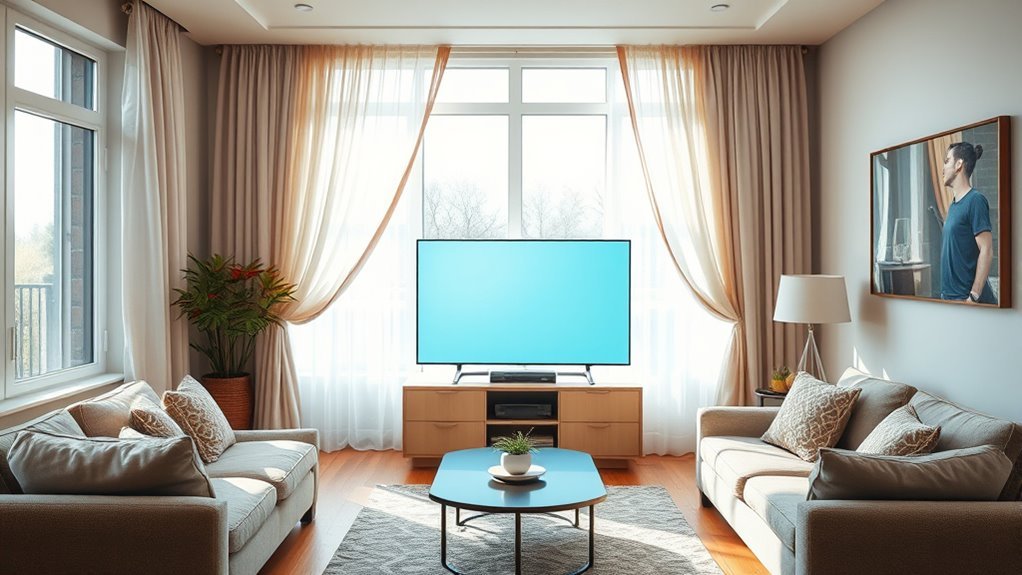
You can cut down sunlight glare by choosing curtains or blinds made from light-blocking materials. Adjust your blinds to the right angle to control how much light enters the room.
This simple step helps keep your TV screen clear and easy to see. It’s an easy fix that makes a big difference!
Choose Light-Blocking Materials
Since sunlight is one of the main causes of glare on your TV screen, using curtains or blinds can really improve your viewing experience. To get the best results, you’ll want to pick light-blocking materials that stop sunlight from flooding your room.
Here’s what to look for:
- Blackout Curtains: These are made from thick, dense fabrics that block almost all incoming light. They create a dark environment that’s perfect for watching TV.
- Thermal or Lined Drapes: Not only do they block light, but they also help regulate the room’s temperature. So, you get extra comfort and better energy efficiency.
- Roller Blinds with Opaque Fabrics: These give a sleek, modern look and do a great job reducing sunlight glare. Plus, they won’t add any bulky material to your space.
Adjust Blinds for Angle
When sunlight streams directly through your windows, adjusting the angle of your blinds can especially cut down on glare. Tilt the slats to block direct rays while still letting in natural light.
You can experiment with different angles to find the best position that reduces reflection on your TV screen. This method is quick, cost-effective, and keeps your room bright without the harshness of direct sunlight.
Here’s a quick guide to adjusting blinds for glare reduction:
| Blind Angle | Effect on Glare |
|---|---|
| Fully closed | Maximum glare blocking |
| 45° tilt | Balanced light & glare |
| 90° vertical slats | Light filtered sideways |
| Fully open | No glare reduction |
Try these angles to see what works best for your viewing comfort.
Dim or Replace Harsh Lights To Cut Glare
Take a look around your room and spot any harsh light sources that might be causing glare on your TV screen. You can easily cut down on glare by installing dimmer switches or swapping out bright bulbs for softer, more TV-friendly ones.
These simple changes will help you enjoy your favorite shows without the annoying reflections. It’s a quick fix that makes a big difference!
Identify Harsh Light Sources
Although harsh lighting can brighten a room, it often creates unwanted glare on your TV screen. To reduce this glare, you first need to identify which light sources are causing the problem.
Here’s how you can do it effectively:
- Observe Reflections: Watch your TV at different times of day. Notice any bright spots or reflections that correspond with nearby lamps or windows.
- Check Light Bulbs: Look for bulbs that emit intense, direct light aimed toward the TV. These are usually the main culprits.
- Inspect Fixtures: Spot any exposed bulbs or shiny fixtures near your TV that amplify light intensity.
Once you identify these harsh light sources, you can plan to dim, reposition, or replace them. That way, your viewing experience will be much more comfortable.
Use Dimmer Switches
Since harsh lights often cause glare, using dimmer switches lets you control brightness and create a more comfortable viewing environment. Instead of having bright lights blasting in your room, you can easily adjust them to a softer level that won’t reflect off your TV screen.
Installing dimmer switches is a simple upgrade that gives you flexibility depending on the time of day or the mood you want. When you lower the light intensity, it reduces eye strain and prevents distracting reflections that ruin your viewing experience.
If you already have dimmer switches, try experimenting with different brightness levels to find the sweet spot for watching TV. This small change can make a big difference in cutting glare without sacrificing illumination.
Opt For Softer Bulbs
When you switch to softer bulbs, you immediately cut down on harsh reflections that can distract you during your favorite shows. Harsh, bright lights often create glare on your TV screen, making it harder to see details and enjoy the picture quality.
To optimize your viewing experience, consider these steps:
- Choose bulbs labeled “soft white” or “warm white” with lower lumens to create a cozy, glare-free environment.
- Replace any harsh, cool-toned bulbs that produce intense, direct light with dimmable or LED options that offer adjustable brightness.
- Position lamps or fixtures so their light doesn’t hit the screen directly, reducing reflected glare.
Rearrange Furniture To Cut Screen Reflections
If you want to reduce screen reflections, start by rearranging your furniture to minimize glare from windows and lights. Position your TV so it’s not directly opposite large windows or bright lamps.
Angling the TV slightly can also help deflect light away from your eyes. Move seating areas so you’re not facing a reflective surface, which can bounce light onto the screen.
Consider placing your TV on a wall that gets less natural light throughout the day. If rearranging isn’t possible, try shifting lamps or changing their direction to avoid direct light hitting the screen.
Add Soft Furnishings To Reduce Reflective Light
Adding a few soft furnishings can substantially cut down on reflective light in your TV room. Soft materials absorb light instead of bouncing it around, so they’re excellent for reducing glare.
Here’s how you can use them effectively:
- Curtains or Drapes: Thick, dark-colored curtains block sunlight and prevent it from reflecting off your TV screen.
- Rugs: Place plush rugs on the floor to absorb light that might otherwise reflect off hard surfaces.
- Cushions and Throws: Add fabric cushions or throws to your seating area, which helps absorb ambient light and soften reflections.
Add an Anti-Glare Screen Protector To Your TV
Soft furnishings do a great job of soaking up stray light, but sometimes you need an extra layer of defense against glare. Adding an anti-glare screen protector to your TV can considerably reduce reflections and improve your viewing experience.
These protectors work by diffusing incoming light and minimizing harsh reflections without compromising picture quality. Installing one is simple—you just attach the screen protector directly onto your TV screen, and some models are even reusable.
Plus, they can protect your screen from scratches and dust, extending your TV’s lifespan. When choosing a protector, make sure it fits your TV size perfectly and doesn’t affect touch sensitivity if your TV has that feature.
This small addition can make a big difference in reducing eye strain and enhancing your entertainment. It’s definitely worth considering if glare is getting in the way of your viewing pleasure.
Pick a Matte Screen To Reduce Glare
You’ll notice that matte screens cut down glare much better than glossy ones by diffusing light instead of reflecting it.
If you watch TV in a bright room or near windows, a matte screen can make your viewing experience much more comfortable.
Choosing the right screen finish helps you avoid distracting reflections and enjoy clearer images. It really makes a difference when you want to focus without any annoying glare getting in the way.
Benefits Of Matte Screens
Though glossy screens can make colors pop, choosing a matte screen considerably cuts down on glare. This makes it easier for you to enjoy your favorite shows without distracting reflections.
Matte screens scatter light rather than reflecting it directly, which means less eye strain and a more comfortable viewing experience for longer periods. Here are three key benefits you’ll notice:
- Reduced Reflections: Matte screens minimize mirror-like reflections from windows and lights, keeping the image clear.
- Improved Visibility: You get better picture clarity in bright rooms, so you won’t have to adjust your seating or lighting as much.
- Less Eye Fatigue: With fewer harsh glares, your eyes won’t tire quickly, letting you watch comfortably anytime.
Switching to a matte screen really enhances your TV time by making glare a non-issue. It’s a simple change that makes a big difference.
Differences From Glossy Screens
When comparing matte and glossy screens, you’ll notice that glossy screens tend to reflect more light, creating sharper images but also more distracting glare. Glossy screens offer vibrant colors and high contrast, which can make your TV picture pop in dim rooms.
However, in bright settings, reflections from windows or lamps can ruin your viewing experience. Matte screens, on the other hand, diffuse light instead of reflecting it directly, reducing glare considerably.
This means you can watch comfortably even in well-lit rooms without constantly adjusting your position or the lighting. While matte screens may slightly soften the image compared to glossy ones, the reduction in glare often outweighs this drawback.
Ideal Viewing Environments
If your room gets a lot of natural light, choosing a matte screen can make a big difference in reducing glare and improving your viewing comfort. Matte screens scatter reflections, so you won’t be distracted by bright spots or harsh light.
To create an ideal viewing environment, focus on these three key factors:
- Lighting control – Use curtains or blinds to manage sunlight during peak hours.
- Screen placement – Position your TV away from direct light sources for minimal reflection.
- Surface texture – Opt for matte finishes on your TV and surrounding décor to reduce glare further.
Reduce Brightness and Adjust Contrast Settings
Adjusting your TV’s brightness and contrast settings plays a crucial role in minimizing glare and enhancing your viewing experience. Lowering the brightness reduces the light intensity reflecting off your screen, while adjusting contrast ensures images remain clear without washing out colors.
You don’t need to set these to maximum; instead, find a balance that suits your room’s lighting.
| Setting | Effect on Glare and Picture Quality |
|---|---|
| High Brightness | Increases screen reflections |
| Low Brightness | Minimizes reflections, reduces eye strain |
| High Contrast | Enhances image sharpness but may cause glare |
| Low Contrast | Reduces glare, may dull picture |
| Balanced Settings | Necessary clarity with minimal glare |
Try playing around with these settings until you find a comfortable, glare-free view that works for you. It’s all about what feels best in your space!
Use Soft, Indirect Lighting Instead of Harsh Bulbs
Since harsh bulbs create sharp reflections that can distract your eyes, you’ll want to switch to soft, indirect lighting to cut down glare on your TV screen. Soft lighting reduces intense brightness and spreads light evenly, making your viewing experience much more comfortable.
To achieve this, consider these three tips:
- Use lamps with fabric or frosted shades that diffuse light gently.
- Position lights so they bounce off walls or ceilings instead of shining directly on the screen.
- Opt for dimmable bulbs or smart lighting to adjust brightness based on the time of day.
Frequently Asked Questions
Can Glare Damage My TV Screen Over Time?
Glare itself won’t damage your TV screen over time, but it can strain your eyes and reduce viewing comfort.
You’ll want to minimize it to enjoy a clearer picture and avoid unnecessary eye fatigue.
Are There Specific TV Brands Known for Better Glare Resistance?
Yes, you’ll find brands like Sony and Samsung offer models with better anti-glare screens. OLED and QLED TVs often handle glare well, so you should check reviews and specs to pick one that suits your lighting conditions.
It’s a good idea to read up on user experiences too. That way, you get a clearer picture of how the TV performs in real-world lighting.
Does Screen Size Affect the Visibility of Glare?
Yes, screen size affects glare visibility; larger screens catch more reflections, making glare more noticeable.
You can reduce this by adjusting your room’s lighting or positioning your TV to minimize direct light hitting the screen.
It’s all about finding the right balance so you can enjoy your viewing without those annoying reflections.
Can Wearing Polarized Glasses Help Reduce TV Glare?
Sure, just slap on those polarized glasses and suddenly you’re a superhero fighting TV glare!
In reality, they do reduce glare somewhat, but you’ll still want to adjust your room lighting for the best binge-watching experience.
Is Glare Reduction Different for OLED Versus LED TVS?
Yes, glare reduction differs between OLED and LED TVs because OLEDs have better contrast and deeper blacks, which naturally reduce glare.
You’ll still need proper lighting and anti-glare screens, but OLEDs handle reflections more effectively.
Conclusion
By following these simple tips, you’ll turn your TV viewing experience from a glare-filled struggle into a crystal-clear delight. Think of your screen as a window to another world—by controlling light and reflections, you’re drawing the curtains just right to let the best picture shine through.
With a few adjustments, you’ll enjoy every show and movie without distraction. This makes your living room the perfect place to unwind and escape. Reducing glare on your TV not only improves picture quality but also reduces eye strain, so you can watch longer and more comfortably.
So, whether it’s adjusting your lighting, repositioning your TV, or using anti-glare screens, these easy tips will help you achieve the best viewing experience. Say goodbye to annoying reflections and hello to a clearer, more enjoyable TV time every day.